

Web Studio
The Web Studio is a browser-based control panel for DBSprout. It surfaces the
same generation engine as the CLI — the same specs, the same determinism, the
same FK-safe row ordering — wrapped in a visual interface with an entity
relationship diagram, a step-by-step wizard, and live progress feedback. It
requires the [web] extra.
Install and launch
pip install "dbsprout[web]"
dbsprout serve --port 8420
Open http://localhost:8420 in your browser. Run dbsprout init at least once
first so there is a schema snapshot to work with.
The default port is 8420. Pass --port to use a different one.
Schema ERD
The first thing the studio shows you is the entity relationship diagram automatically generated from your schema snapshot.
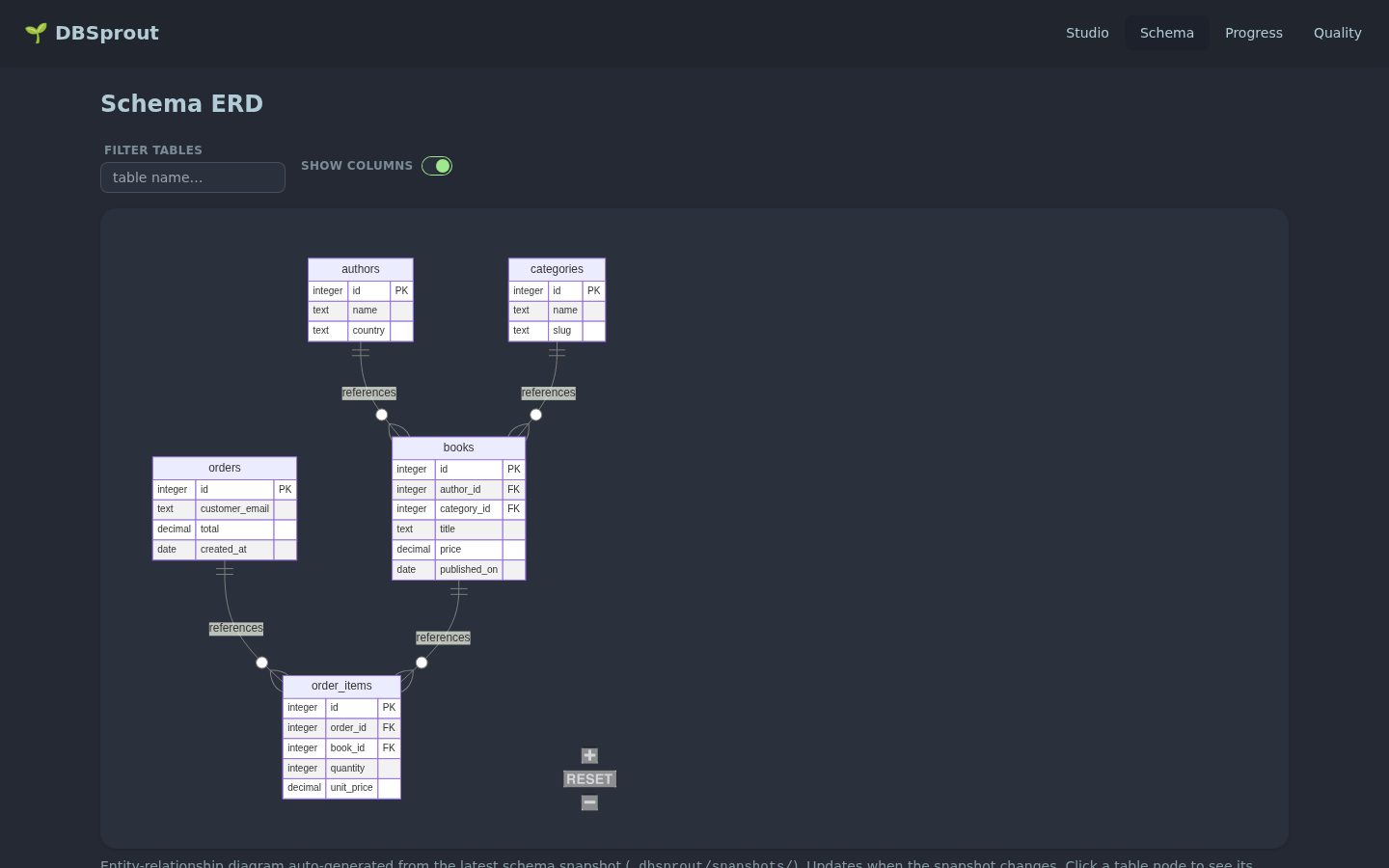
ERD view: every table, column, and FK relationship laid out automatically. Hover a table to highlight its relationships.
Tables are laid out with FK edges connecting parent and child tables. You can
pan, zoom, and click any table to inspect its column list, data types, and
constraint details. The ERD is regenerated whenever you run dbsprout init
and the schema changes.
Guided wizard
The studio includes a six-step wizard that walks you from database connection to validated seed data without touching a command line.
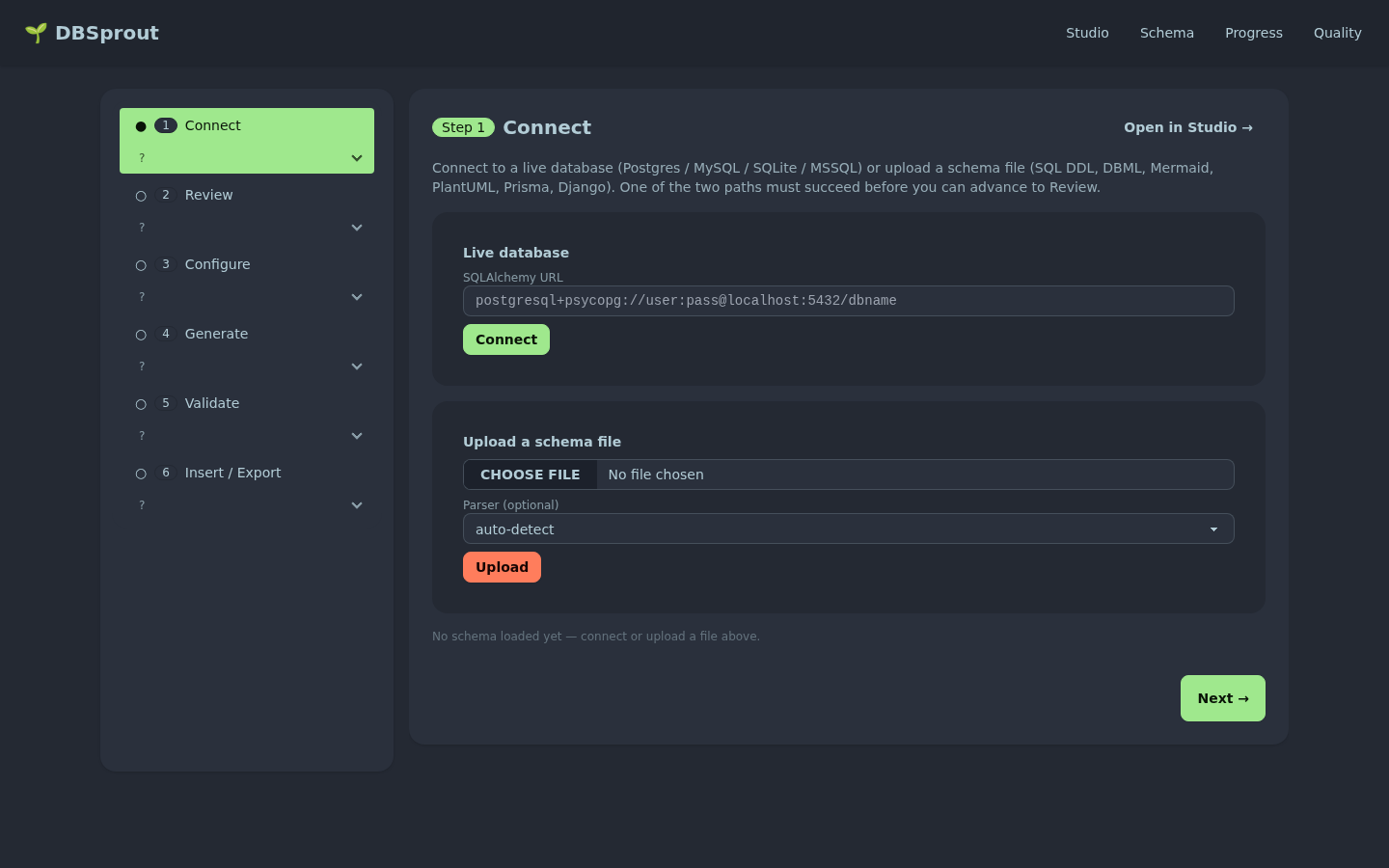
Guided wizard: connect → review schema → configure generation → generate → validate → insert or export.
The steps are:
- Connect — provide a connection URL or upload a schema file.
- Review — inspect the ERD and column list; confirm the detected generators.
- Configure — set row counts, choose an engine, pick an output format, set the seed.
- Generate — trigger generation and watch the live progress panel.
- Validate — review the integrity and quality report before committing.
- Insert / Export — insert directly into the target database or download the seed files as SQL, CSV, or JSON.
Each step can be revisited; the wizard preserves your settings across steps.
Live generation progress
Once generation starts, the studio streams real-time progress over Server-Sent Events (SSE). You see each table’s progress bar fill in FK-safe order, with a live rows/sec counter and an estimated completion time.
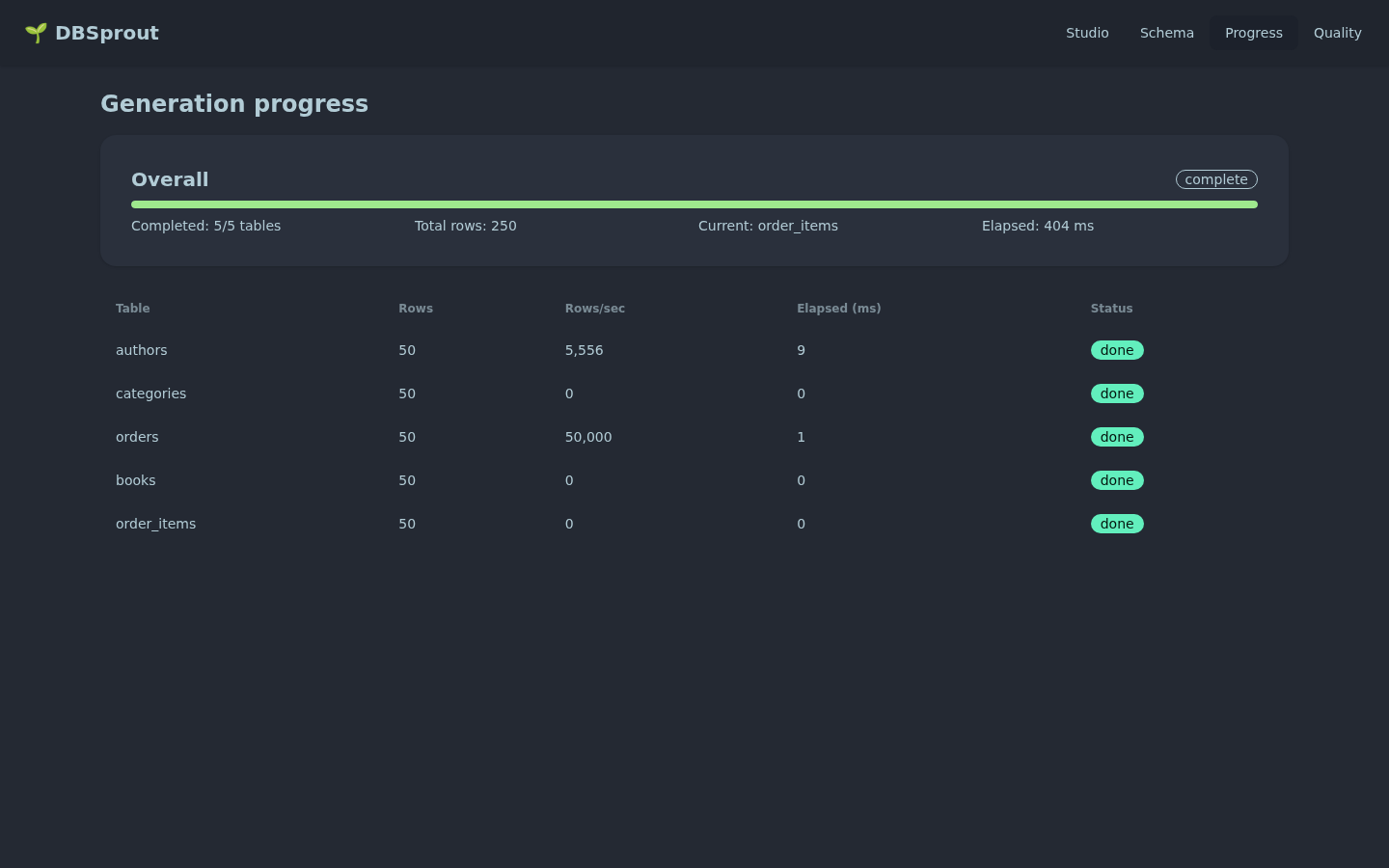
Live progress: per-table bars update in real time over SSE; no polling, no page refresh.
Quality report
After generation completes, the studio renders the full quality report inline.
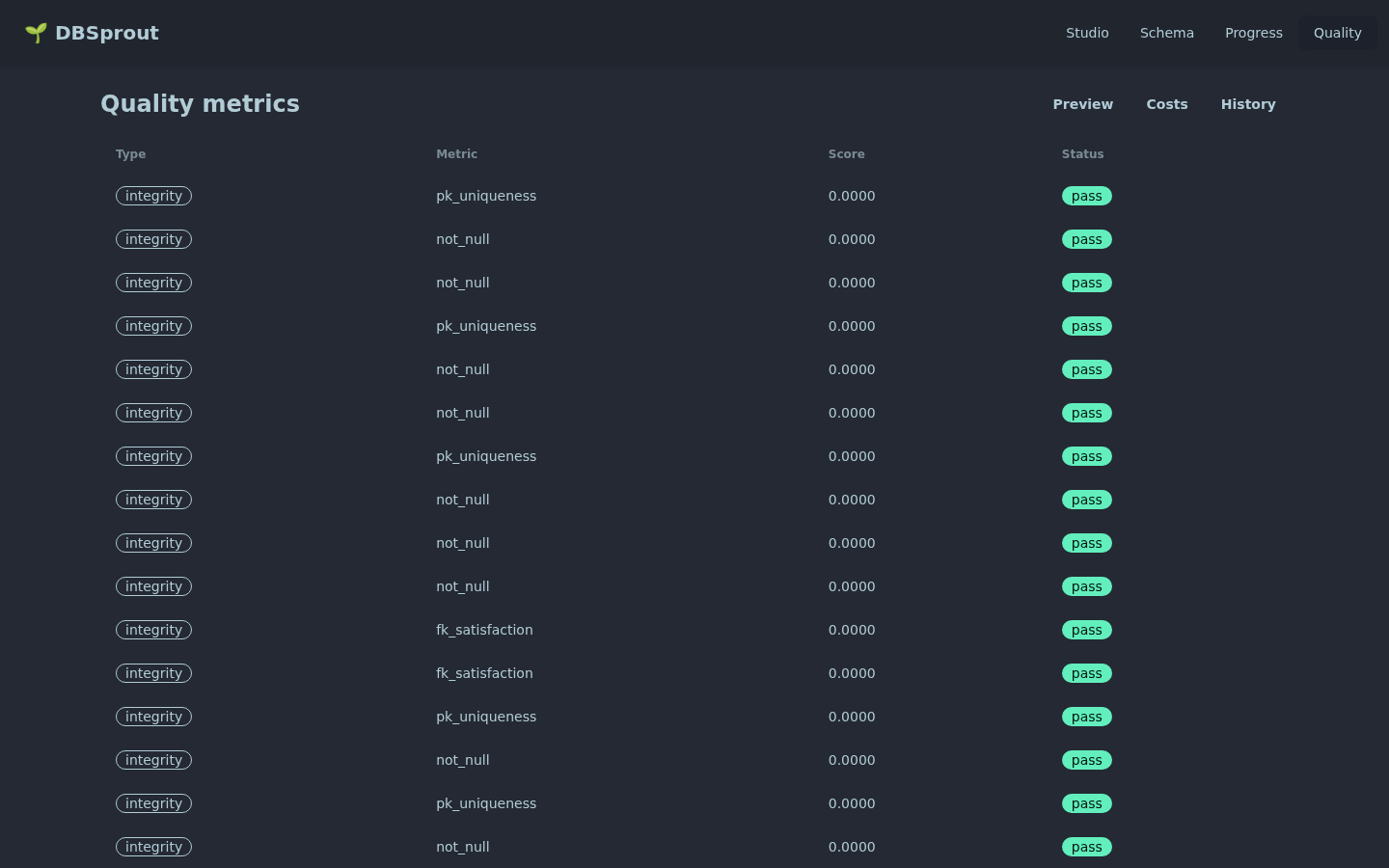
Quality report: integrity checks (FK, UNIQUE, NOT NULL, CHECK) plus fidelity and detection scores when reference data is available.
Integrity metrics confirm 100% referential and structural correctness. If you
supplied a reference dataset, the fidelity panel shows statistical distances
between real and synthetic distributions and a classifier-two-sample-test (C2ST)
detection score. The report can also be exported as a static HTML file via
dbsprout report.
Same engine as the CLI
The studio is a thin UI layer over the same Python generation pipeline. The
DataSpec cached by a previous dbsprout generate --engine spec run is reused
in the studio; the same --seed value produces the same rows; the same FK
resolution logic applies. There is no separate “web mode” — the studio just
makes the pipeline’s inputs and outputs visible in a browser.
The Terminal UI is the right choice for headless servers, SSH sessions, and terminal-native workflows. The Web Studio is the right choice when you want to visually explore a schema before generating, or when you are sharing results with teammates who are not comfortable with the CLI.
See Core Concepts for a detailed explanation of the five-stage pipeline that both interfaces drive.